Introducing Saga: A Local-First Time Tracking TUI Built in Rust
An open-source, terminal-native time tracker with invoicing, offline-first SQLite storage, and an Elm-style architecture — built in Rust.
I've been writing software professionally since 1999. In that time I've used more time tracking tools than I care to count — web apps, desktop apps, browser extensions, spreadsheets, sticky notes. They all share the same fundamental problem: they get in the way. They're slow to open, they require an internet connection, they own your data, and they never quite fit into a terminal-centric workflow.
So I built the one I actually wanted to use.
Saga is an open-source, local-first time tracking application for the terminal. It's written in Rust and ships as both a full TUI (terminal user interface) and a scriptable CLI. No cloud. No subscriptions. No accounts. Just you, your terminal, and a local SQLite database you own completely.
Why Another Time Tracker?
Most time trackers are built for managers. Saga is built for the person doing the work.
If you're a freelancer, contractor, or solo developer who bills by the hour, you need something that:
- Starts instantly — no browser tabs, no login screens
- Works offline — on a plane, at a coffee shop, wherever
- Stays out of the way — start a timer, forget about it, stop when you're done
- Handles billing — not just tracking hours, but turning them into invoices
- Is scriptable — so you can integrate it into your existing workflow
Saga does all of that in ~6,000 lines of Rust.
What It Looks Like
Saga's TUI is built with ratatui and features 7 screens, all keyboard-driven. Here's the dashboard — active timer up top, today's entries in the middle, and a this-week chart on the right:
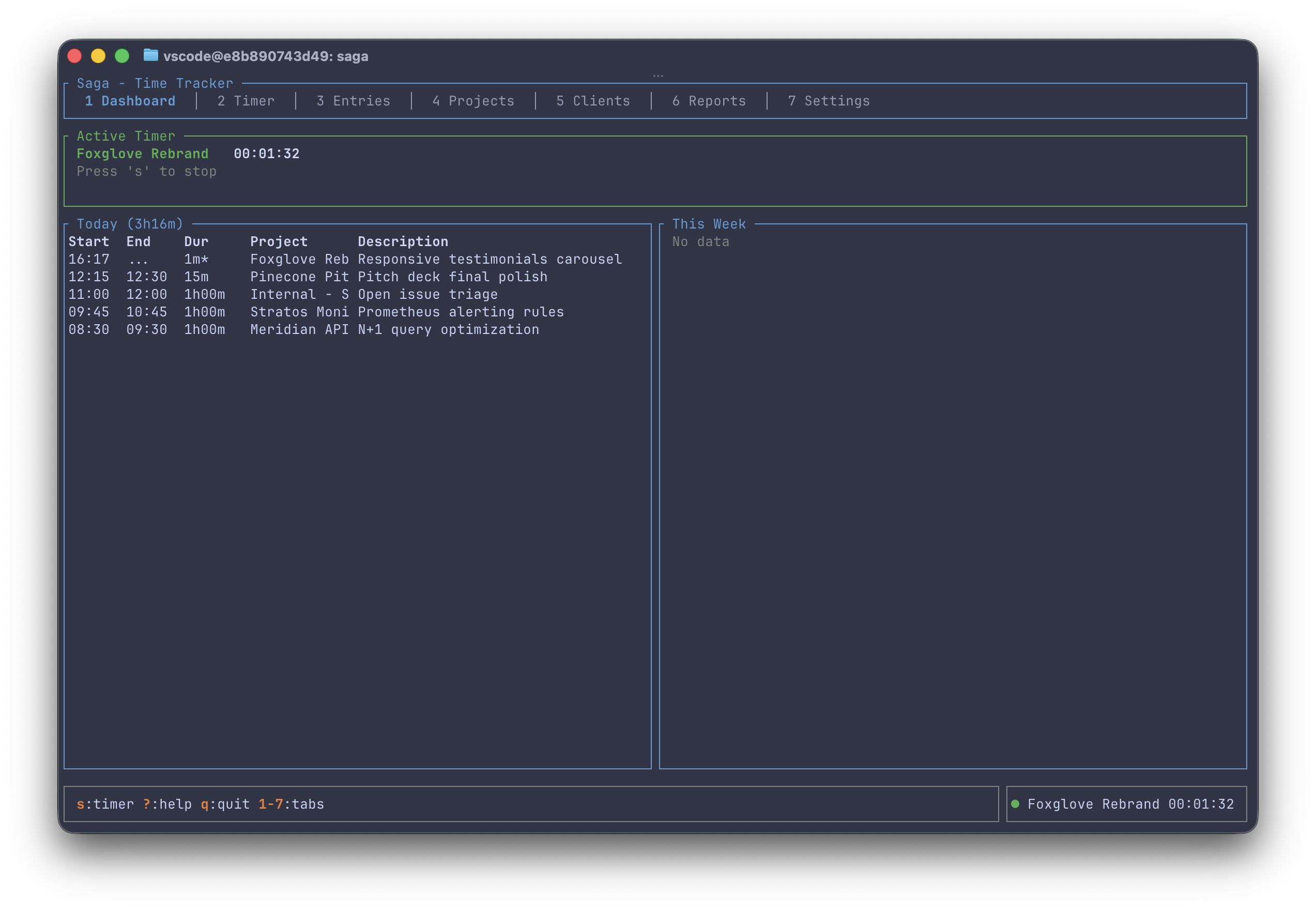
Navigation is keyboard-driven throughout — Tab to switch screens, j/k to navigate lists, single-key shortcuts for every action. If you're comfortable in vim or a terminal multiplexer, you'll feel right at home.
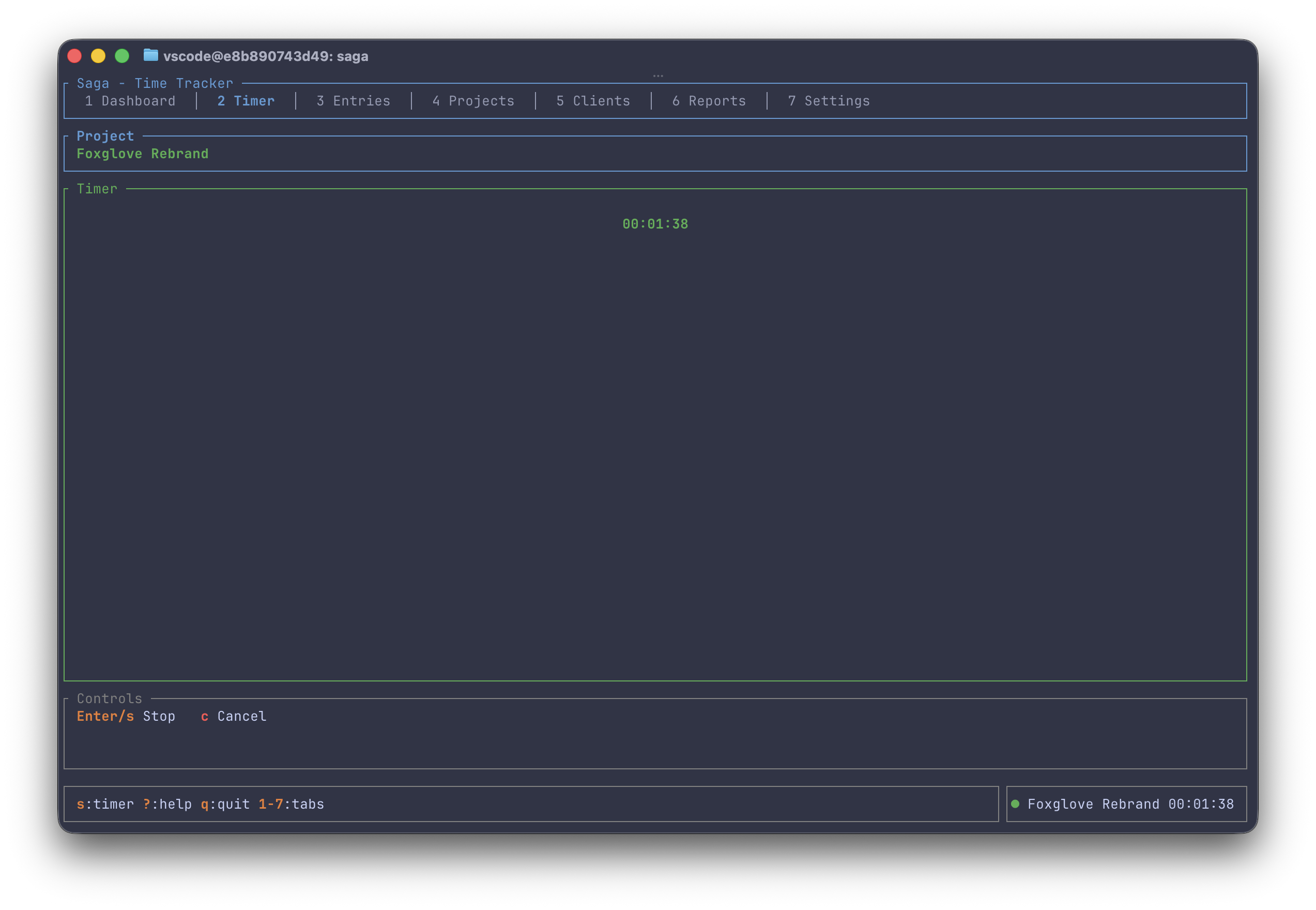
The timer screen strips everything away and gives you a focused, full-screen view of the running clock:
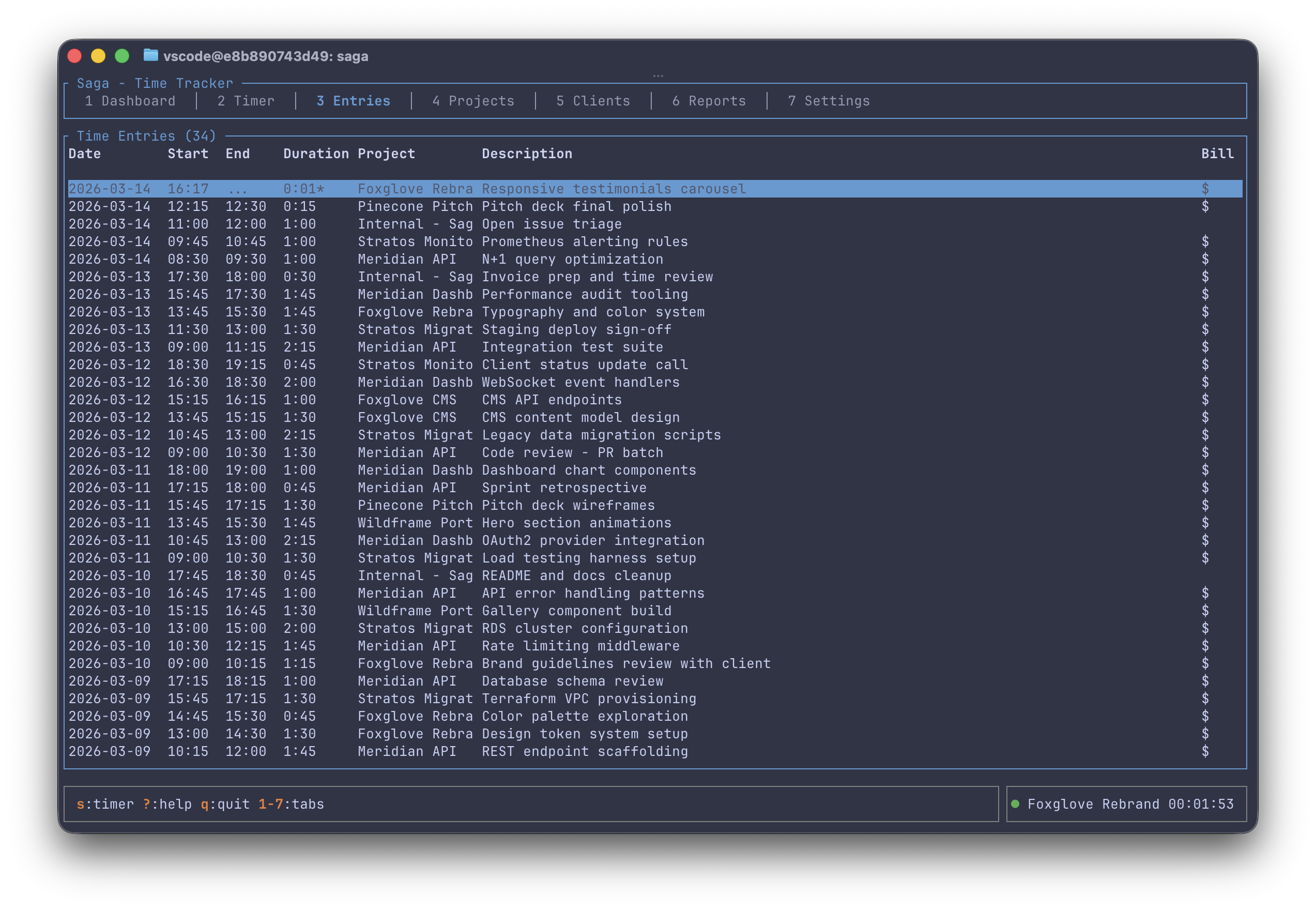
The entries screen gives you a scrollable, navigable log of every time entry with inline billing indicators:
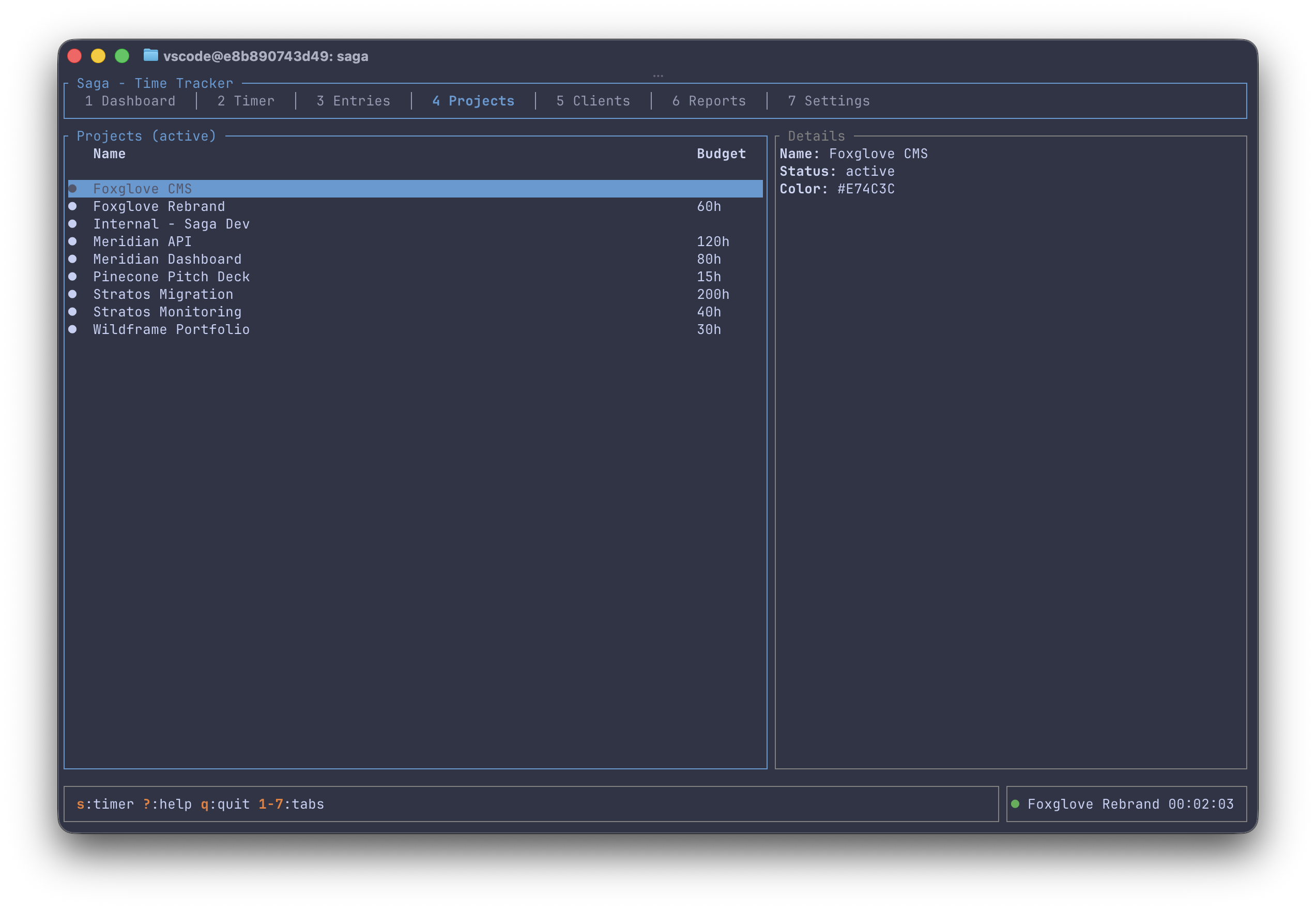
Projects are color-coded and carry optional budget hours. The detail pane on the right updates as you navigate:
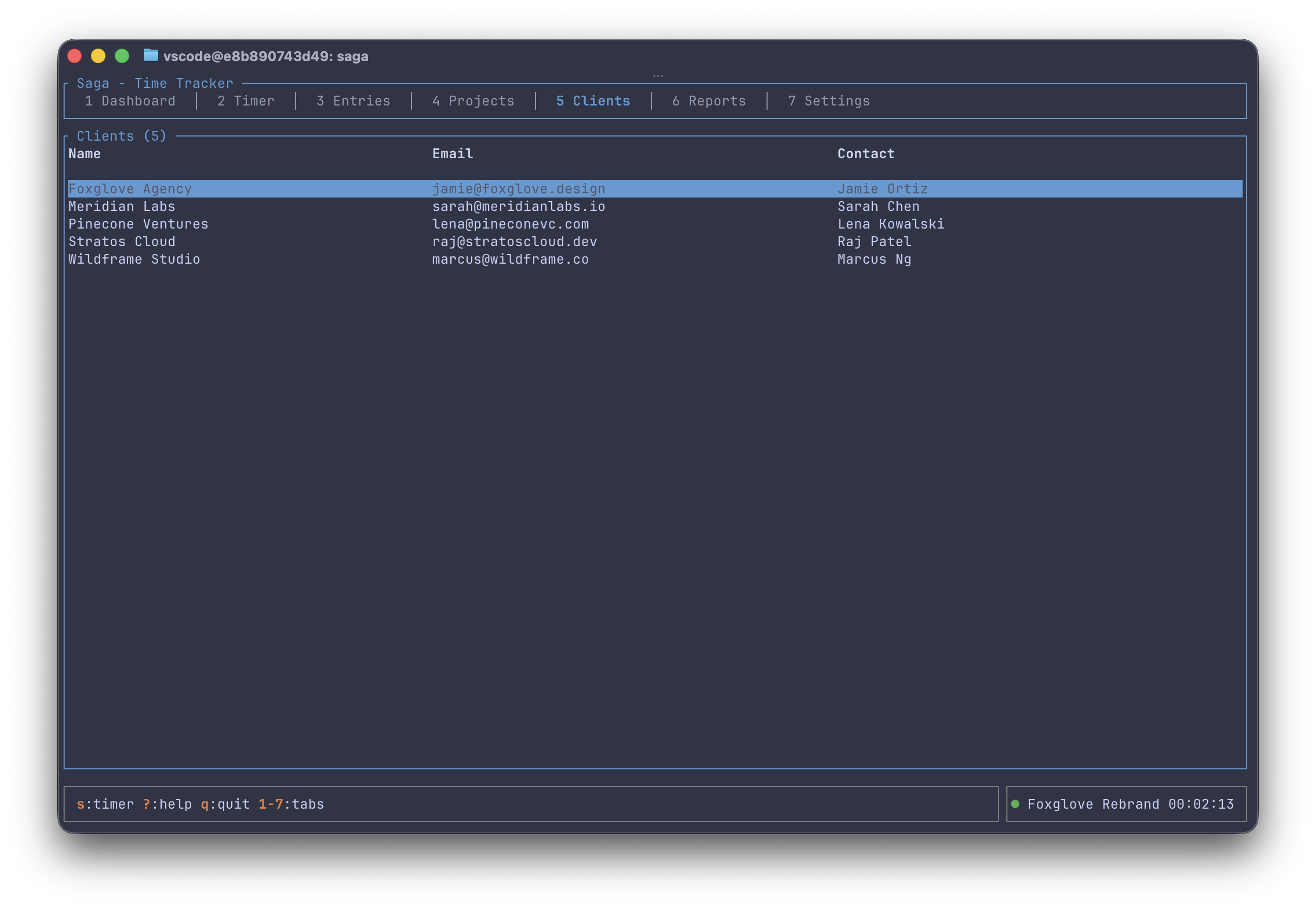
Clients hold contact info for billing and invoicing:
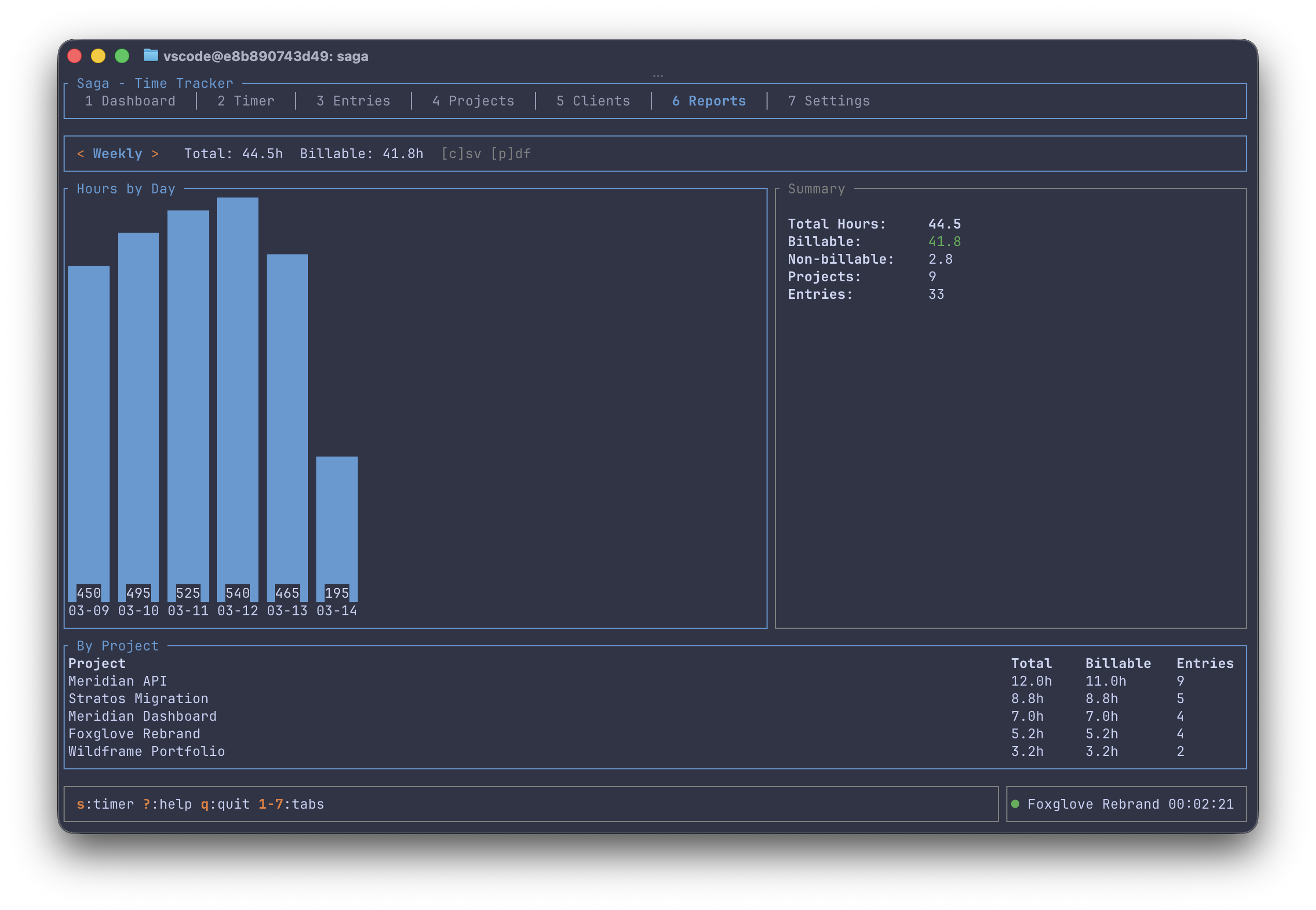
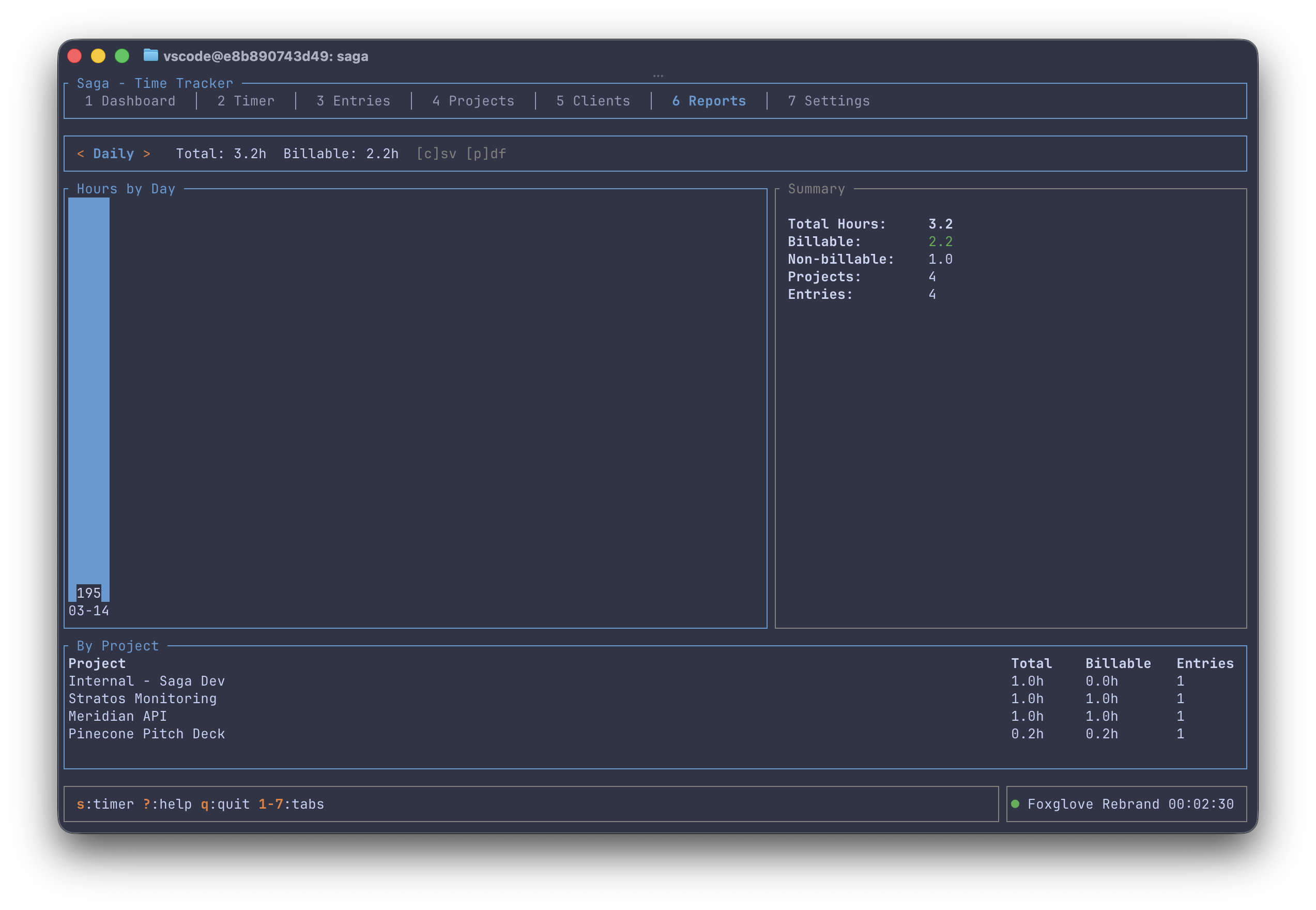
Reports support daily, weekly, and monthly views — with bar charts, project breakdowns, and one-key CSV or PDF export:
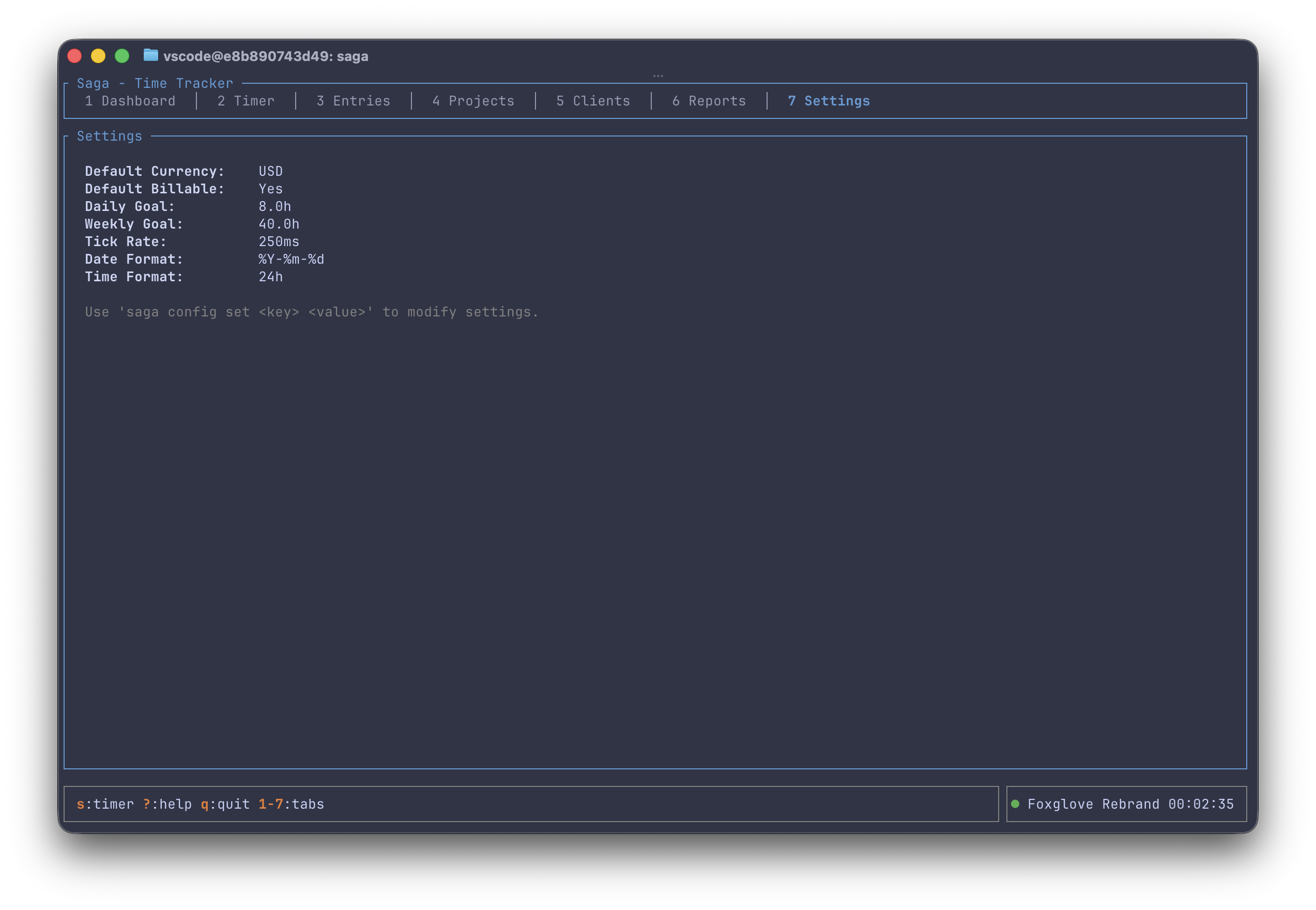
And the settings screen surfaces your current configuration at a glance:
Architecture: Elm/Redux-Style State Management
Saga follows an Elm/Redux-style architecture (Model-Update-View), adapted for Rust. Every user interaction is expressed as a message, the entire app state lives in one struct, and rendering is a pure function of that state. If you've used Redux or React's useReducer, the pattern will feel immediately familiar.
The result is a codebase that's predictable to debug and safe to extend — adding a feature to one screen can't break another. It's common in frontend web development but you rarely see it applied to Rust TUI applications. It works beautifully here.
Features That Matter
Start and Stop Timers
From the CLI:
saga start my-project -d "Building the auth module" -t backend
saga status    # see what's running
saga stop      # save the entry
saga resume    # restart the last timer
saga cancel    # discard without saving
Or just launch saga with no arguments to enter the TUI and start a timer from the dashboard.
3-Tier Billing Rates
Saga supports a hierarchical rate system:
- Project rate — highest priority. Set a rate for a specific project.
- Client rate — applies to all projects under a client unless overridden.
- Default rate — the global fallback.
Each rate has an effective_from date, so you can track rate changes over time without losing historical accuracy. When generating reports or invoices, Saga walks the hierarchy to find the correct rate for every entry.
saga rates set --default --rate 150 --currency USD
saga rates set --client "Acme Corp" --rate 175
saga rates set --project "Acme Emergency" --rate 225
PDF Invoices
This is where Saga goes beyond a simple time tracker. Generate a professional invoice for any client and date range:
saga invoice generate --client "Acme Corp" --from 2026-01-01 --to 2026-01-31Saga pulls all billable entries for that client's projects, applies the correct rates, and generates a PDF with line items, totals, and client details. No more copy-pasting hours into a spreadsheet.
Reports and Export
The reports screen gives you daily, weekly, and monthly views with total and billable hours, a visual bar chart of hours per day, and a project breakdown with entry counts. Export to CSV or PDF with a single keypress.
From the CLI:
saga report --period weekly --format pdf -o weekly-report.pdf
saga report --period monthly --project "Backend API" --format csv
Local-First, Data You Own
Your data lives in a single SQLite file in your platform's standard data directory:
- macOS:
~/Library/Application Support/saga/saga.db - Linux:
~/.local/share/saga/saga.db - Windows:
{FOLDERID_LocalAppData}\saga\saga.db
No cloud sync. No telemetry. No analytics. Back it up however you want — cp, Time Machine, rsync, git. It's just a file.
The database uses foreign key constraints, indexes on frequently-queried columns, and a migration system for schema evolution. It's production-grade storage for what is fundamentally financial data.
The Stack
Saga is built on a lean set of well-maintained Rust crates:
| Layer | Crate | Purpose |
|---|---|---|
| TUI | ratatui | Terminal rendering |
| Terminal | crossterm | Raw mode, events, input |
| CLI | clap | Command parsing with derive macros |
| Database | rusqlite (bundled) | SQLite with zero external deps |
| DateTime | chrono | Time handling with serde |
genpdf | Invoice and report generation | |
| CSV | csv | Tabular data export |
| Config | confy | Platform-aware config management |
| IDs | uuid | Unique entry identifiers |
| Errors | anyhow + thiserror | Ergonomic error handling |
Total dependency footprint is modest. Compile times are reasonable. The bundled SQLite means zero runtime dependencies — the binary is fully self-contained.
Code Organization
src/
├── app/           # State machine (message, state, update, handler)
├── cli/           # CLI command definitions and execution
├── db/            # Database layer (schema, migrations, queries)
│   └── queries/   # Domain-specific query modules
├── export/        # CSV, PDF, and invoice generation
├── models/        # Pure data structures
└── ui/            # TUI rendering
    ├── components/ # Reusable widgets (forms, pickers, dialogs)
    └── screens/    # The 7 screen modules
Models know nothing about the database. The database knows nothing about the UI. The UI knows nothing about persistence. You can swap any layer without touching the others.
Who Is This For?
- Freelancers and contractors who bill by the hour and want invoicing built in
- Terminal-native developers who don't want to leave their workflow to track time
- Privacy-conscious professionals who want their time data to stay on their machine
- Rust developers looking for a real-world example of Elm architecture in a TUI application
- Anyone tired of SaaS fatigue for something as simple as tracking how you spend your time
Getting Started
# Install from crates.io
cargo install saga-time

# Or clone and build from source
git clone https://github.com/squirrelsoft-dev/saga.git
cd saga
cargo build --release

# Launch the TUI
saga

# Or use the CLI
saga start my-first-project -d "Getting started with Saga"
saga stop
saga log --today
What's Next
Saga is functional and I'm using it daily, but there's more I want to build:
- Theme customization — the Catppuccin-inspired palette is nice, but you should be able to change it
- Full CRUD in the TUI — project and client creation currently requires the CLI
- Tag-based filtering in reports
- Reminder notifications — the framework is there, just needs wiring
- Sync (maybe) — if I add sync, it'll be optional and conflict-free. The local-first design comes first.
Try It Out
Saga is MIT licensed and available now on GitHub:
github.com/squirrelsoft-dev/saga
If you track time, give it a spin. If you're into Rust, read the source — the Elm architecture pattern is worth studying. And if you have ideas or want to contribute, issues and PRs are welcome.
Time is the one resource you can't get more of. You might as well track it with a tool that respects yours.